
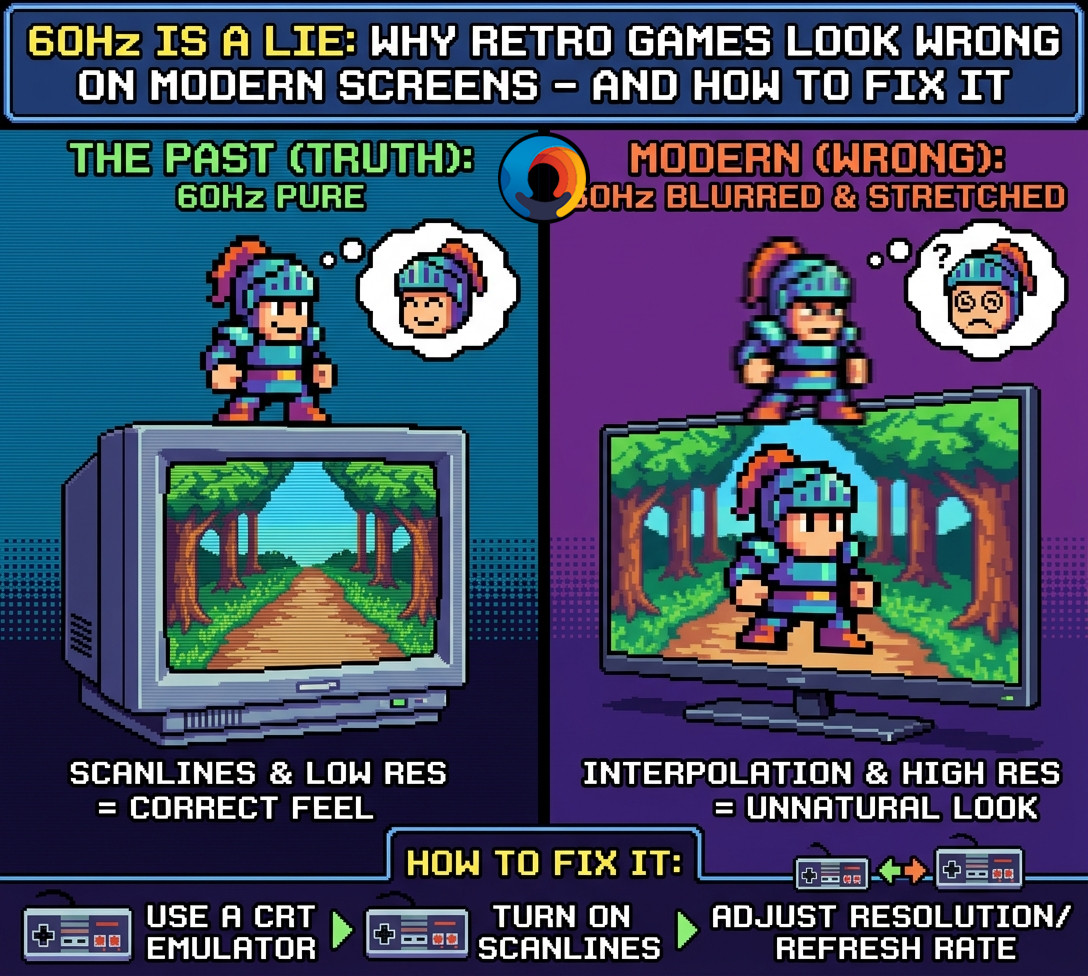
60Hz Is a Lie: Why Retro Games Look Wrong on Modern Screens — And How to Fix It
In This Guide
60Hz Is a Lie: Why Retro Games Look Wrong on Modern Screens – And How to Fix It
I grew up with CRT screens. We all did. It didn’t matter whether you were planted in front of a home console in the lounge room, hunched over a family PC in the study, or burning 20-cent pieces at the local milk bar arcade – the screen in front of you was a CRT. That curved glass, that faint electromagnetic hum, that particular way the colours bled and bloomed at the edges of bright pixels. It was just what screens were. Nobody called it anything. It was simply how games looked.
And they looked incredible. Not despite the technology – because of it. The scanlines, the phosphor glow, the way fast-moving sprites stayed razor-sharp even at full scroll speed. Sonic the Hedgehog at full sprint. Street Fighter II’s stage backgrounds blurring past at 60 frames per second without a trace of smear. DoDonPachi’s bullet patterns – dense, fast, impossibly readable. None of that was accidental. The hardware was designed for those screens, and those screens made the hardware sing.
Then LCD arrived, and quietly, without most people noticing, something broke.
The transition from CRT to LCD was sold as a straight upgrade. Thinner. Brighter. Sharper. No more screen burn. No more bulk. No more waiting for the tube to warm up. All of that was true. What nobody mentioned – because the industry either didn’t understand it or didn’t care – was that LCD panels work on a fundamentally different physical principle, and that difference makes them handle retro game content incorrectly at a level most people can feel but can’t articulate.
The common response when retro games look wrong on a modern screen is to reach for a scanline shader, slap some dark horizontal stripes over the image, and call it done. That helps. It doesn’t fix it. Because scanlines were never the whole story – they were a side effect of how CRTs worked, not the cause of why they looked good.
This guide goes deeper. It covers what CRTs were actually doing at the hardware level, why 60Hz on a modern LCD is the wrong container for retro content even when the games run perfectly, what 120Hz actually fixes and why, and how Black Frame Insertion, integer scaling, and accurate shaders work together to recover something close to what those old curved glass screens delivered. Then it maps all of that to PC hardware – from an $150 Intel N100 mini PC to a full Ryzen 9 desktop – so you know exactly what each tier buys you.
Several things you’ve probably been told about retro emulation are wrong. This is where we set the record straight.
What CRTs Actually Did
A CRT fires a focused beam of electrons from a gun at the back of the tube toward a phosphor-coated glass screen. Magnetic deflection coils steer that beam in a precise horizontal sweep – left to right – drawing one thin line of the image. The beam then races back to the left, drops down a fraction, and draws the next line. It traces the entire visible image line by line in roughly 1/60th of a second, then blanks and starts again from the top. This is the vertical blanking interval.
The phosphor coating is the detail that gets lost in almost every retro gaming discussion. When the electron beam hits the phosphor, it glows. But the glow does not hold – it fades over roughly 16 to 20 milliseconds. By the time the gun has swept to the bottom of the screen and snapped back to the top, the phosphor struck first is already dim. The screen is, in a very real physical sense, going dark between frames.
This means a CRT at 60Hz was never a static display. It was a pulsing display. Each frame lived, died, and was replaced. Motion worked correctly because moving objects left no residual glow in their old position to smear against their new one.
The black lines everyone calls scanlines were not a design feature. They were the physical gaps where the electron beam had already passed and the phosphor had dimmed – with no new beam strike to re-illuminate it.
On a standard consumer CRT running 240p content – what most 8-bit and 16-bit consoles actually output – only 240 of the available 480 scan lines were drawn each field. The alternating black gaps were half the image. Game artists knew this. They designed for it. Dithering tricks, colour blending, and fine gradients were all engineered for a display that physically merged those gaps with the lit lines through phosphor persistence and eye integration.
When you see those same pixel grids on a modern LCD without scanlines, you are not seeing the game as intended. You are seeing the raw grid artists used as a source to produce the intended image. The CRT was part of the rendering pipeline.
How LCD Panels Broke Everything
Modern LCD and OLED panels work on an entirely different physical principle called sample-and-hold. The panel lights each pixel, holds that colour value stationary for the entire frame duration, and then replaces it with the next frame. There is no phosphor decay. There is no pulsing. The image is static and fully lit for 100% of each frame period.
This creates perceived motion blur that has nothing to do with panel response time. Even an LCD with a 1ms pixel response time will still produce visible blur because your eye tracks moving objects during the hold period. Your eye expects the display to go dark between frames, the way a CRT did. Instead, the LCD holds the frame perfectly still while your eye moves, smearing the image on your retina.
This is not fixable by making the panel faster at changing colours. It is a fundamental property of the sample-and-hold architecture. At 60Hz, an LCD holds each frame for 16.6ms. At 120Hz, each frame is held for only 8.3ms – exactly half as long. The blur is measurably reduced because your eye has less time to drift before the image updates.
| CRT | Impulsive. Phosphor decays between frames. Eye sees a pulsing image. No motion smear. |
| LCD (any Hz) | Sample-and-hold. Pixel stays lit for the full frame duration. Eye tracks against a static image. Motion smears. |
| 60Hz hold time | 16.6ms per frame. Significant eye drift during hold period. |
| 120Hz hold time | 8.3ms per frame. Half the drift window. Measurable reduction in perceived blur. |
| 120Hz + BFI | 8.3ms lit, 8.3ms dark. 50% duty cycle. Directly replicates CRT phosphor pulsing. |
Retro Games Run at 60fps. So 60Hz Is Enough. Wrong.
The widespread belief that “retro games run at 60fps so 60Hz is enough” is a category error. It conflates frame rate – how many unique frames of gameplay are rendered per second – with display architecture – how that image is physically presented to your eye.
Original retro consoles ran at 60fps on displays that pulsed. Modern emulation runs those same 60fps on displays that hold. The gameplay logic is identical. The visual experience of motion is not.
A fast horizontally-scrolling background in Sonic the Hedgehog or Street Fighter II’s stage parallax involves pixels moving 8 to 12 pixels per frame at 60fps. On a CRT, each frame pulsed and decayed – the previous frame’s pixel positions were dark by the time the new frame arrived. On a 60Hz LCD holding each frame for 16.6ms, every background tile smears against the next because your eye is tracking and the old frame is still fully lit.
The platforms where this matters most are exactly those most associated with retro gaming’s golden era: arcade boards running MAME and FinalBurn Neo, NES and Sega Master System, SNES and Mega Drive action games, and the entire scrolling shoot-’em-up genre.
The 60Hz myth also ignores a second problem: refresh rate synchronisation. Retro hardware did not output a clean 60.000Hz signal.
| NTSC NES | ~60.098Hz |
| DoDonPachi arcade | ~57.55Hz |
| PAL consoles (Europe) | ~50Hz |
Forcing any of these into a 60Hz LCD container produces frame timing mismatches. The display cannot always match the source cadence, so frames arrive unevenly and you get micro-stuttering – called judder – that breaks the fluid motion the original hardware delivered even on modest hardware.
120 divides cleanly into 60Hz NTSC sources (exactly 2×) and accommodates 50Hz PAL sources far more cleanly than 60Hz does. 60 ÷ 50 = 1.2, which means irregular frame delivery. 120 ÷ 60 = 2.0 exactly.
Why 120Hz Solves It
BFI on a 120Hz display works as follows. The emulator outputs 60 game frames per second. The display, running at 120Hz, shows each game frame for one refresh cycle (8.3ms) and then inserts a completely black frame for the next refresh cycle (8.3ms). The result: the display is lit for 8.3ms and dark for 8.3ms – a 50% duty cycle that directly replicates the impulsive nature of CRT phosphor decay.
Your eye receives the same pulsing signal it evolved to track on CRT content. Moving pixels no longer smear because the display goes dark between frames, exactly as the phosphor did.
The brightness penalty is real: BFI cuts visible brightness by approximately 50% because the panel is dark half the time. High peak-brightness settings or a high-nit panel are required to keep the image usable. Set screen brightness to 90–100% before enabling BFI, then boost the shader’s brightness parameters to compensate.
The input latency reduction is a real secondary benefit. A 120Hz screen commits the current frame buffer to the display every 8.3ms – versus 16.6ms at 60Hz. Even when a retro game runs at its original 60fps, the display polls and commits the rendered output more frequently, reducing worst-case input-to-display latency by up to half.
| BFI on 120Hz | 60 game frames + 60 black frames. Flicker at 60Hz – at the edge of comfortable perception for most people. Correct and usable. |
| BFI on 60Hz | 30 game frames + 30 black frames. Flicker drops to 30Hz – slow enough for the eye to track consciously. Strobe effect. Immediate headaches. Do not use. |
| 60Hz BFI: frame rate | RetroArch must drop every second game frame to make room for the black frame. Smooth 60fps games instantly drop to choppy 30fps. |
| 60Hz BFI: audio | Emulator synchronisation confusion causes audio crackling, popping, and in extreme cases game speed reduction to half-pace. |
| PAL ROMs | Use NTSC (USA/Japan) files. 120 ÷ 50 = 2.4 – uneven delivery, produces judder. 120 ÷ 60 = 2.0 – perfect. |
| When to disable | RPGs, strategy games, slow-scrolling content. Any platform where a locked framerate cannot be guaranteed. |
The CRT was part of the rendering pipeline. Scanlines were not decoration. Phosphor decay was not a defect. Game artists designed for a display that pulsed – and 120Hz with BFI is the closest modern hardware gets to replicating that pulse.
The CRT Look – Beyond Dark Stripes
Accurate CRT simulation on modern displays involves more than inserting scanlines. The authentic look depended on several simultaneous physical properties that a simple dark-stripe filter does not capture.
BFI Suitability by Console
BFI improves motion clarity across all 8-bit and 16-bit systems, but the hardware limits and visual styles of specific consoles dictate how much benefit you actually get.
| Platform | Suitability | Best Genres | Notes |
|---|---|---|---|
| Arcade (MAME / FBNeo) | Perfect | Fighting, Shmups, Beat ’em ups | Designed for fast, high-persistence CRT monitors. BFI preserves razor-sharp pixel edges of moving objects, making it easier to track enemy projectiles and execute frame-perfect inputs. |
| NES / Master System | Excellent | Fast 2D Platformers, Run-and-Gun | Constant tile-based screen scrolling with high-contrast simple colour palettes. Without BFI, black sprite outlines ghost on standard LCD. BFI keeps background tiles and text clean and readable as the stage moves. |
| SNES / Mega Drive | Genre Dependent | Racing, Sports, Action Platformers | Gunstar Heroes, F-Zero, Sonic 2, Super Mario Kart look sharp with BFI enabled. Slow RPGs – Chrono Trigger, Final Fantasy VI, EarthBound – gain nothing. Static screens and slow grid movement mean BFI delivers only eye strain with no motion clarity payoff. |
| Game Boy / GBA | Poor | None | Original Game Boy screens had notorious LCD ghosting – emulating them with pristine CRT-like motion clarity strips away authentic handheld character. BFI also mimics a heavy glass television, creating a visual disconnect on content designed for a tiny unlit portable screen. |
| PS2 / GameCube / Wii | Avoid | None | 3D content with variable frame pacing makes BFI a liability. Any frame drop below the locked refresh causes violent stutter as the 120Hz sync breaks. |
| PS3 / Xbox 360 and above | Never | None | Frame delivery is too inconsistent on entry and mid-range hardware. Stutter will be severe. Use standard vsync only. |
BFI Flicker vs PWM Flicker
BFI flicker and PWM (pulse-width modulation) backlight flicker are structurally different phenomena that cause eye strain via different mechanisms.
PWM is used by many displays to control brightness. Rather than continuously varying voltage to the backlight, they rapidly switch it on and off – at frequencies typically between 200Hz and 2000Hz. The frequency is too high for conscious perception but not for the optic nerve, which responds to the subliminal pulsing and can trigger headaches and nausea in sensitive individuals. The Steam Deck OLED, Nintendo Switch OLED, and many budget LCD handheld consoles use PWM dimming.
BFI flicker operates at 60Hz – firmly within the range of conscious visual perception. You will see it. The screen visibly shimmers, similar to playing on a high-persistence CRT in a dark room. This produces visual fatigue during extended sessions through a different pathway: the sustained conscious effort of processing a flickering image.
Sensitivity to one does not predict sensitivity to the other. Test BFI in 20-minute sessions before committing to it for long play. Run it at maximum screen brightness to partially offset the 50% luminance loss.
Blur Busters’ research has confirmed that 240Hz+ OLED displays currently offer the most convincing CRT motion simulation – the shorter hold period reduces per-frame smear even before BFI is applied.
| BFI purpose | Reduce motion blur. Mimics CRT by cycling dark frames to clear visual memory between images. |
| PWM purpose | Dim the screen. Cycles the backlight on and off rapidly to simulate lower brightness levels. |
| BFI frequency | Low and fixed. On a 120Hz screen: 60Hz. Consciously visible shimmer. |
| PWM frequency | High and variable. 200Hz–2000Hz+. Mostly invisible consciously. |
| BFI symptoms | Visual fatigue over long sessions. The noticeable 60Hz shimmer tires the eye. |
| PWM symptoms | Headaches and nausea. Subliminal high-frequency pulsing causes subconscious eye-muscle strain. |
PC Emulation Tiers – N100 to Ryzen 9
Emulation is overwhelmingly CPU-bound for systems up to PS2/GameCube. The CPU must translate the original hardware’s instruction set into x86 operations in real time. A slow CPU is an absolute ceiling on which systems can run at full speed. For PS3-generation and later, both CPU and GPU become critical.
Budget Mini PC
Handles flawlessly: NES, SNES, Mega Drive, PC Engine, Neo Geo, Game Boy through GBA, most arcade boards via MAME and FinalBurn Neo, PlayStation 1, and the majority of N64 and Dreamcast content. For 2D emulation with CRT shaders and BFI at 1080p output, this hardware is entirely sufficient and runs cool and silent.
Where it struggles: PS2 is the dividing line. Simple early-generation PS2 titles run near full speed with conservative settings. Complex 3D titles – God of War, Shadow of the Colossus – will be unplayable or require heavy frameskip.
Off the table entirely: PS3 (RPCS3), Xbox 360 (Xenia), Nintendo Switch (Sudachi/Eden), Wii U (Cemu at full performance), PS4 (ShadPS4). Ideal deployment: a dedicated, silent retro station for everything through PS1.
Mid-Range Mini PC or Laptop
PS2 and GameCube/Wii: handled comfortably at native resolution and modest upscaling. Integrated Radeon Vega 8 has enough shader throughput for CRT-Royale at 1080p output on most titles.
PS3 (RPCS3): lightweight titles – 2D fighters, arcade ports, JRPGs with modest 3D – run smoothly at 720p. Moderate titles like Demon’s Souls are playable with stutters. Heavy first-party PS3 exclusives (Killzone 2, God of War III, The Last of Us, MGS4) are unplayable. These demand AVX-512 instruction support present in Zen 4/5 but absent in Zen 3.
Critical RPCS3 settings: set SPU Block Size to Mega. Enable Asynchronous Shader Compilation. Keep internal resolution at 1× (720p) – scaling to 1080p saturates the integrated GPU’s memory bandwidth.
120Hz and BFI: for 8-bit, 16-bit, and arcade emulation, BFI and CRT-Royale run at locked 120Hz effortlessly. For PS3, disable BFI – inconsistent frame delivery will cause violent stutter when sync breaks.
Entry Desktop Build
The practical entry point for serious PS3 and Nintendo Switch emulation. The Ryzen 5 7600X is Zen 4 – AVX-512 is supported, which RPCS3 uses to accelerate Cell processor emulation by approximately 30% over Zen 3.
PS3 (RPCS3) with RTX 4060 or RX 7600: the majority of the RPCS3 library runs at full speed. God of War III, The Last of Us, Uncharted, and Killzone 2 become playable. The heaviest titles may still require additional CPU headroom.
Nintendo Switch (Sudachi/Eden): handles the overwhelming majority of the Switch library at 60fps with resolution upscaling to 1080p or 1440p. Breath of the Wild runs locked at 60fps with mods.
Xbox 360 (Xenia): handles the Xenia-canary build with most mid-tier titles at full speed. GPU class is almost irrelevant for systems up to PS2/Wii – it becomes a primary constraint at PS3 and Switch where compute shader workloads are non-trivial.
Full Desktop Build
Handles all currently emulatable platforms at maximum quality settings.
RPCS3: every compatible PS3 title at full speed at 4K upscaled resolution with full asynchronous shader compilation. The Ryzen 9 7950X is the recognised peak for RPCS3 – its combination of AVX-512, high single-thread boost clocks, and 16-core capacity handles the 6-core SPU emulation threads the Cell processor demands.
Switch (Sudachi/Eden): 4K with anti-aliasing and texture filtering, locked 60fps on virtually all tested titles.
PS4 (ShadPS4): PS4 emulation is GPU-intensive in a way even mid-range cards struggle with on demanding titles. Hardware requirements are still evolving rapidly as the emulator matures – but this tier handles the current compatibility list comfortably.
CRT shaders: CRT-Royale at 4K output to 240p and 480i content with full BFI at 120Hz runs with zero performance impact. The GPU is massively overpowered for this workload at this tier.
Hardware Tier Summary
| Hardware Tier | Approx. Cost (AUD) | Reliable Ceiling | Notable Exclusions |
|---|---|---|---|
| Intel N100 Mini PC | $150–$250 | PS1, most N64 / Dreamcast | PS2 (partial only), PS3, Switch, Xbox 360 |
| Ryzen 5 7430U Mini PC / Laptop | $500–$900 | PS2, GameCube / Wii, light PS3 | Demanding PS3, Switch (partial), Xbox 360 |
| Ryzen 5 7600X + RTX 4060 Desktop | $800–$1,400 | PS3 (most titles), Switch, Xbox 360 | Demanding PS4, 4K PS3 upscaling |
| Ryzen 7/9 Zen 4+ + RTX 4070+ Desktop | $1,500–$3,000+ | All current platforms at 4K | PS4 (still maturing), Switch 2 (future) |
Putting It Together
Getting retro emulation right is a layered problem. Each layer must be solved before the one above it adds value.
First: use NTSC ROM files. PAL content at 120Hz still produces uneven frame cadence – the 120Hz advantage is partially lost.
Second: use integer scaling. On a 1280×960 display, SNES/Mega Drive content hits an exact 4× integer scale at 320×240 native. A 4K display produces a perfect 8× integer scale of 320×240 content and is the better choice for desktop emulation if integer scaling purity is the goal.
Third: match shader weight to hardware and display. CRT-Easymode for handhelds and N100-class hardware. CRT-Pi for arcade content. CRT-Aperture for NES. CRT-Royale for desktop GPUs where processing headroom is available.
Fourth: enable BFI only on 120Hz hardware, only for fast-scrolling 2D content, and only when the emulator can guarantee a locked frame rate. Any frame drop under BFI produces severe visible stutter.
Fifth: choose a PC hardware tier that matches the generation you primarily care about. Don’t spend Tier 3 money to play SNES.
The 60Hz myth persists because the games appear to run. The score increments, the characters move, the music plays. What is missing is not functionality – it is the physical relationship between frame pulsing and eye tracking that the original hardware established on CRT phosphor.
An N100 mini PC connected to a 1280×960 120Hz display is a near-perfect retro station for everything through PS1. A Ryzen 5 7600X desktop with a mid-range GPU is the practical all-rounder that covers the full library from NES through Nintendo Switch. The Ryzen 9 tier is for those who want 4K PS3 and PS4 at maximum fidelity with no compromises.
Recovering that pulsing relationship – through 120Hz, BFI, integer scaling, and accurate shaders – is what the upgrade is actually for.
The games were always this sharp. The screens just couldn’t show it.
The games were always this sharp. The screens just couldn’t show it.